
|
|
In this section we will instruct you on how to configure calculation for the Trigger Log from the controller.
Generally speaking, a trigger allows to gather data from the controller with high frequency during a short time period. Refer to Trigger Log, for more detail information on this log.
To accomplish this task, we have to take some basic steps, including
In case the required data set is not available in the MiScout database, you can create it manually and assign it to the controller as described in the following links: Average log data set, Status log data set, Summations log data set. Configured threshold fires and event which forces MiScout to generate the Trigger Log
You will require the Data Set Manager plug-in for performing the following configuration. For more detail information, refer to Configuring Plug-ins.
Let's create a threshold with a condition of rpm dropping down to a lower point than 1500 rotations per minute. To do this, follow the steps below:
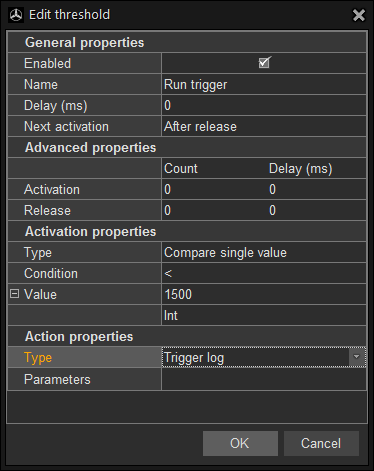
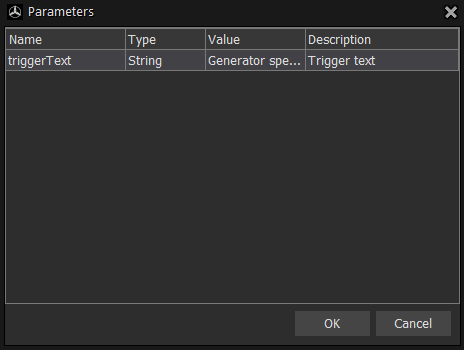
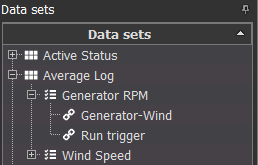
Now, we will assign a recently created threshold Run trigger to the channel Generator RPM using drag-and-drop. Afterwards, apply the changes by clicking  in the upper left corner, so they will be successfully saved on the server.
The next manual section Configure Information Categories will provide you with the instructions on how to configure calculation of Information Categories based on specific rules.